User interface
Every item opens on the same page: a title, a row of tabs, and one bar of actions. The tabs carry a count, so you can see what an item has before you click.
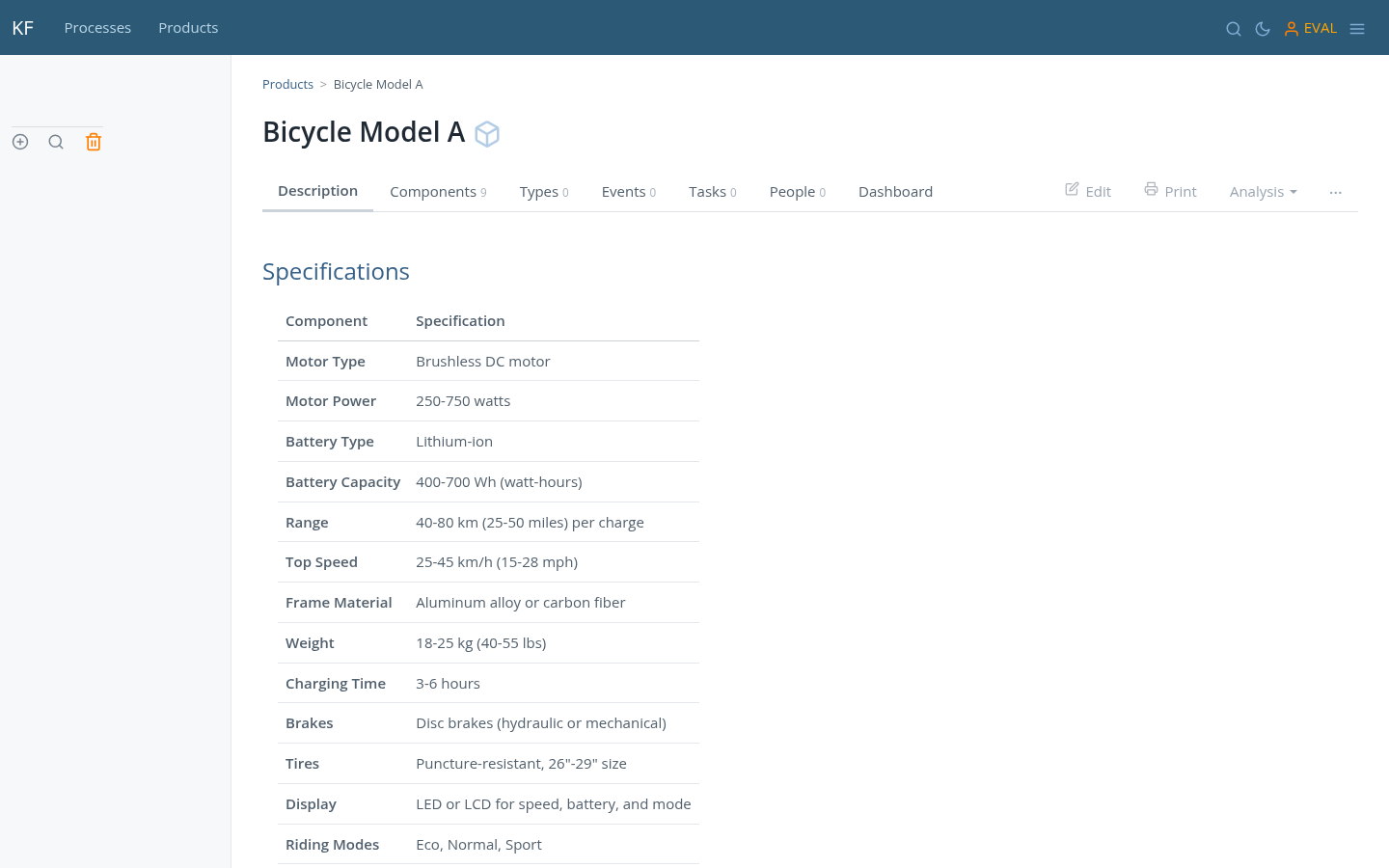
The action bar is the same everywhere and has four controls. Edit and Print do what they say. Analysis collects the views that read the item rather than change it — failure analysis, fault tree, checklist, risk model, Gantt. The ⋯ menu holds everything else: revisions, exports, QR, import, copy.
Reading
Any document can be read as a page rather than as an application: one centred column, serif, justified, and nothing else on screen.
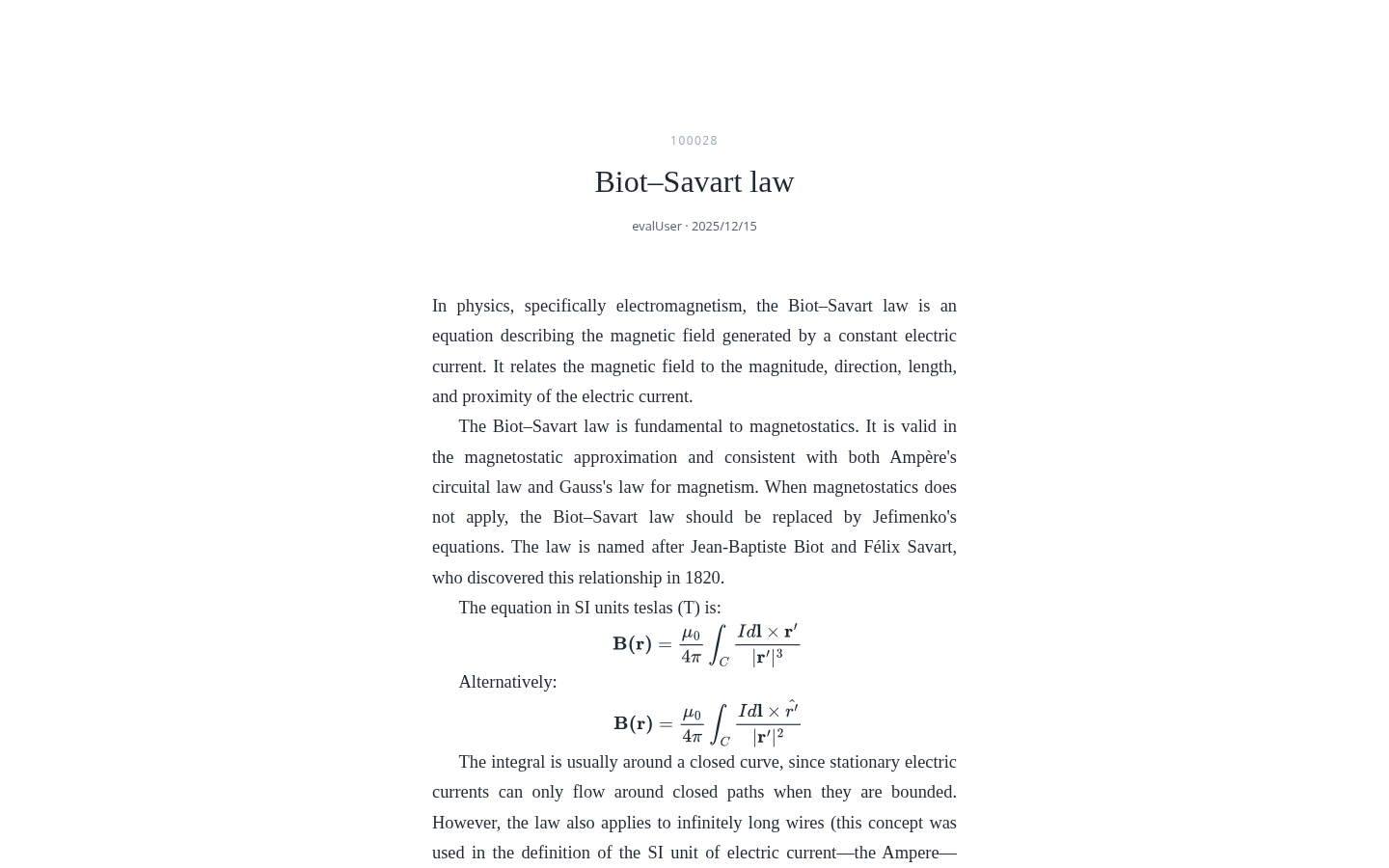
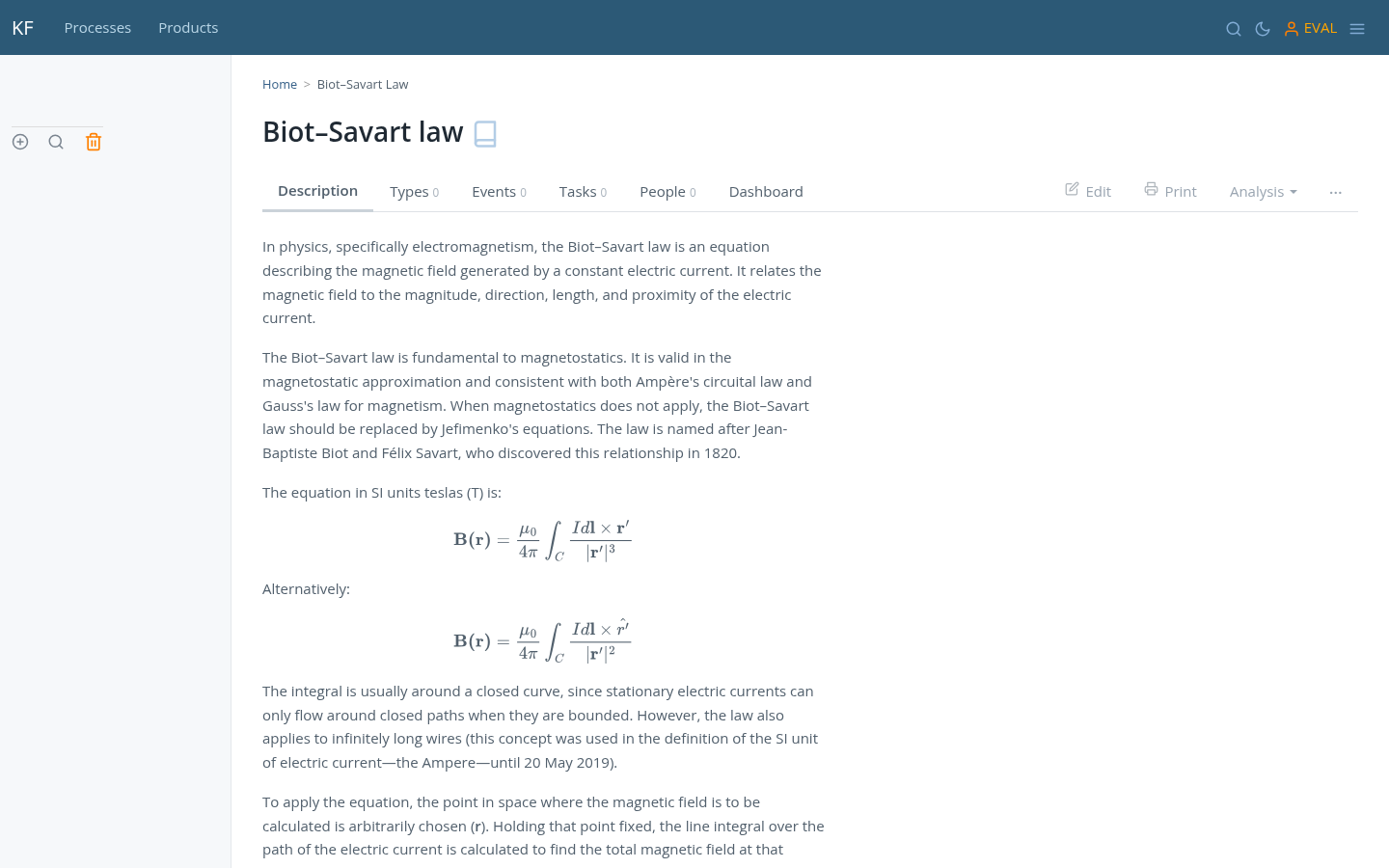
Mathematics is written in LaTeX and rendered by MathJax, inline or displayed.
Print and PDF
Every item also has a Print view: the same document set on A4 and paginated in the browser, page by page, with its furniture in the margins. It is a preview of paper rather than a page that happens to print — the pagination has already happened by the time you press anything.
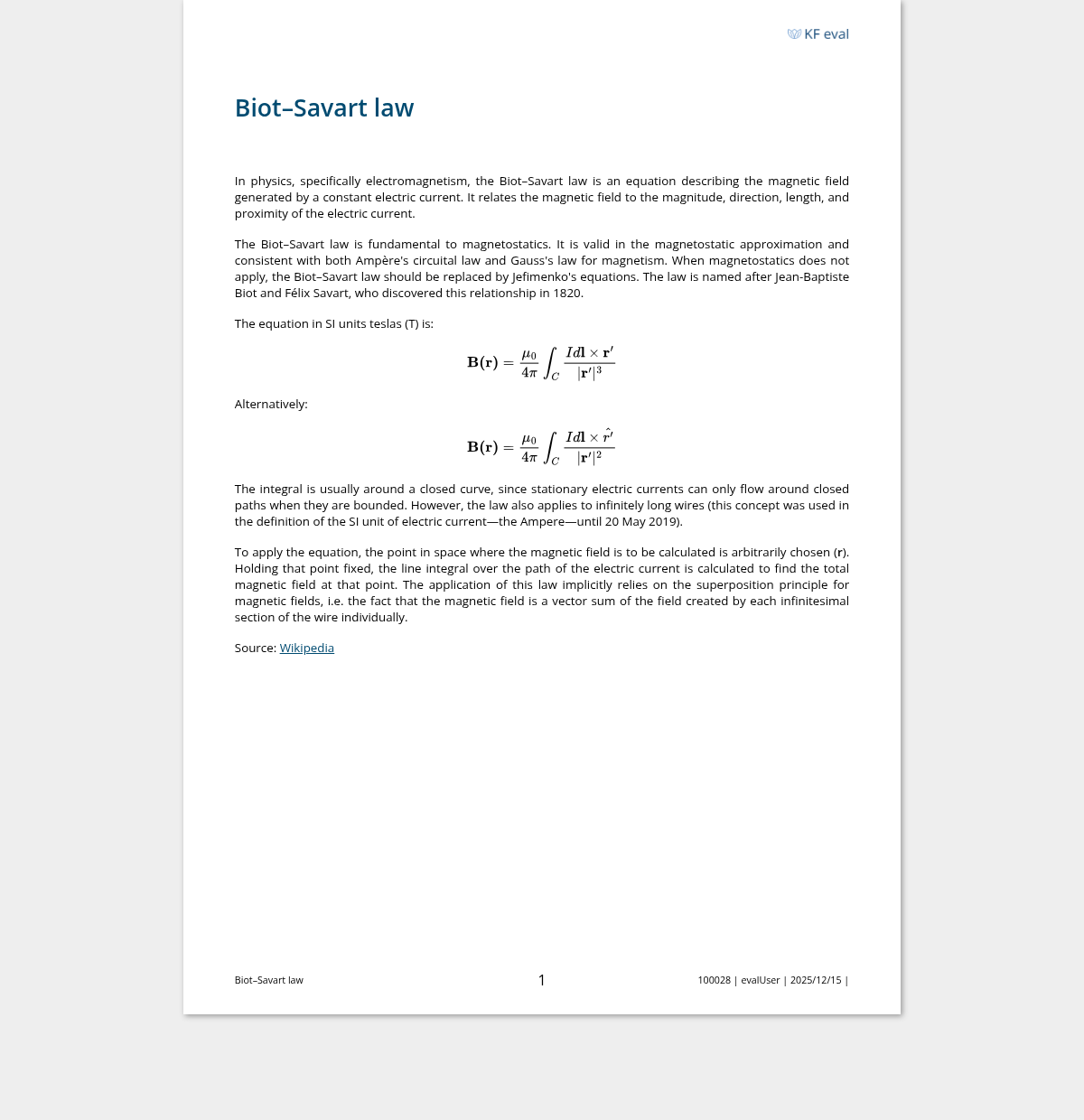
What the view adds around the text is generated: the logo in the top margin, and a
running footer with the document title, the page number, and the item's code,
author, date and licence. Equations are set by MathJax as everywhere else, a table
that crosses a page boundary repeats its header row on the next page, and a page
break can be forced from the Markdown with .bp.
Four formats, reached from the Print tab and the ⋯ menu: A4 portrait, A4 landscape, slides — one page per top-level heading, in landscape — and the same slides as a handout, with a title page and a running head.
There is no separate PDF exporter to keep in step: print the view from the browser and save as PDF, and the pagination, the margins and the equations are already what they will be on paper.
Dark mode
Every page has a dark variant. It is a setting, not a separate theme to maintain — the same templates serve both.
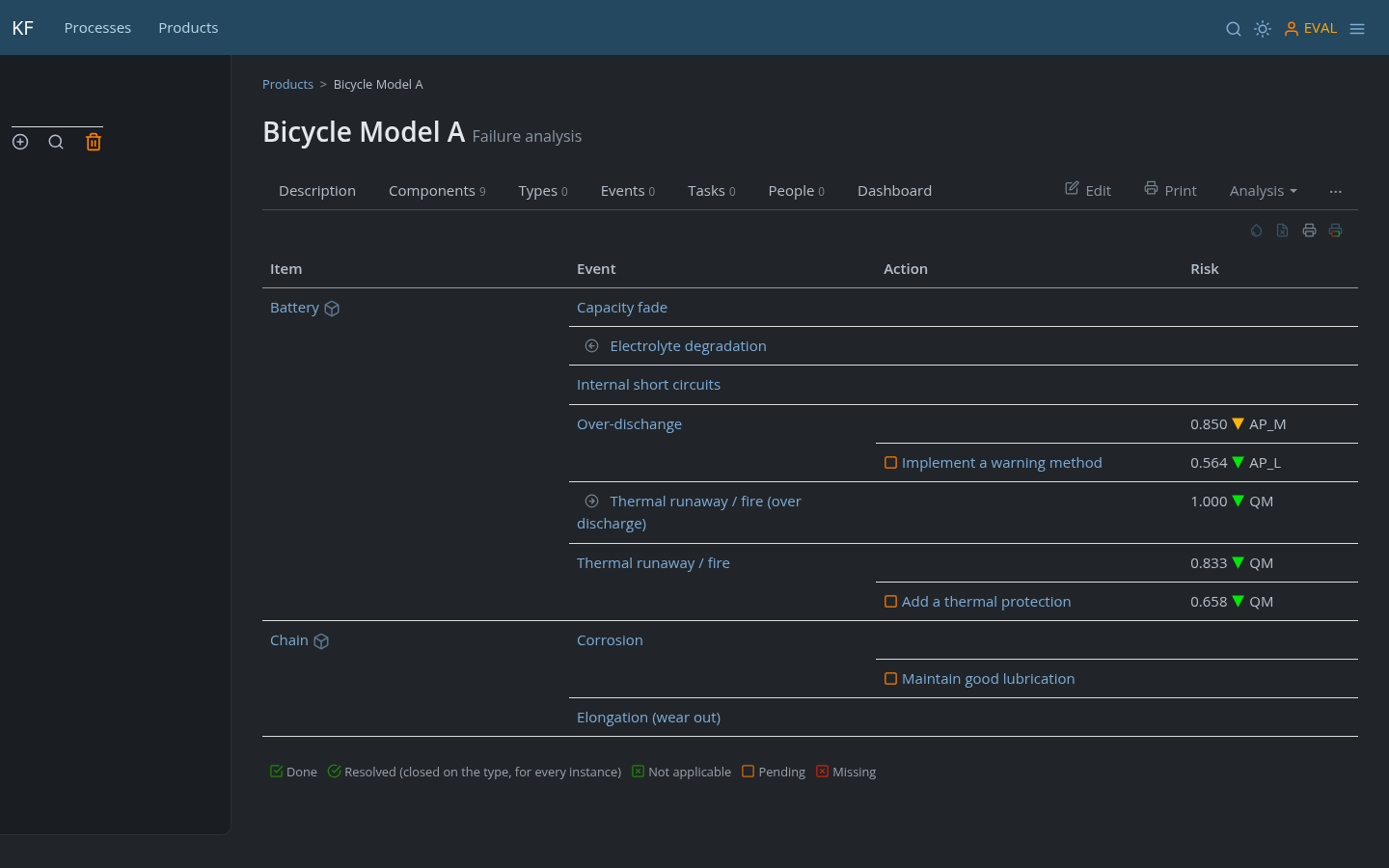
On small screens
The layout is responsive: the sidebar collapses, the action bar stays, and wide tables scroll inside their own container rather than pushing the page sideways.
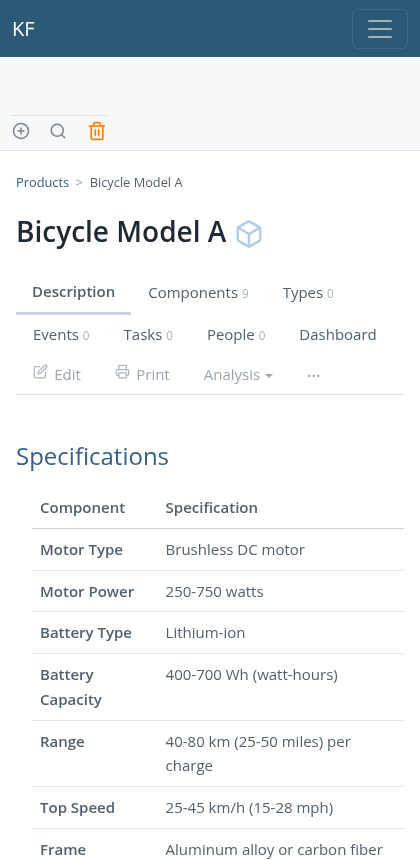
Colour means something
Colour is not decoration in KF, and this is worth knowing before you read a screen:
- Green, orange and red are status only — done, pending, missing. If something is coloured, it is telling you the state of a piece of work.
- Grey is page furniture: the icons in the action bar, the tabs, the chrome.
- Light blue identifies the class of an item — document, object, action, event — and appears in the navigation bar, where it is contrast against the blue rather than meaning.
So a red mark on a checklist row is a real signal, and a blue box beside an item name is just saying "this is an object".
Icons for the main functions
 | Add an item (to the area where the icon appears) |
 | Edit the current item |
 | Preview the current item in print format (doesn't print directly) |
 | Checklist |
 | Checklist template |
 | Component structure |
 | Gantt diagram, timeline |
 | Failure and risk analysis, also known as FMEA |
 | Failure tree |
 | Link to immutable version |
 | Trash |
 | Set dark mode |
 | Login / logout |
Icons that identify the type of item
 | Document |
 | Object |
 | Action |
 | Event |