Knowledge inheritance
A recurring question in ISO 9001 and similar audits is: how do you assure that lessons learned from past projects are actually applied to new ones? The usual answer — a lessons learned register, a review gate, a procedure requiring engineers to consult past work before starting — is fragile. It depends on people remembering to look, on the register being maintained, and on knowledge being findable at the moment it is needed.
KF takes a different approach: lessons learned are embedded in the data structure itself and propagate automatically through the type system. There is no separate process to remember. The two checklist views — direct and inverted — make this propagation visible and auditable.
The mechanism, in three steps
Before the details, the whole of it — performed on the live demo and captured as it happened. My company is an instance of the type ISO 9001 Generic process.
1. What the project owes today. Its register lists the requirements it has taken on from its types. The Origin column names where each row came from.

2. A lesson is added to the type. Somewhere else, someone learns that a supplier has to be re-qualified after any change to its process. That lesson is written once, on the type — not on the project.
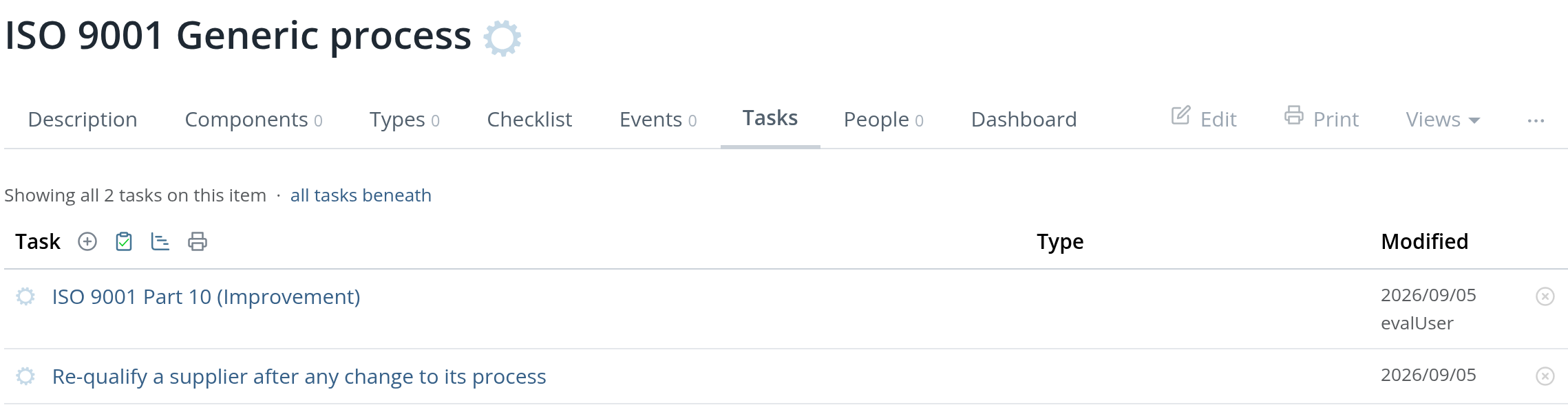
3. The project's register, reloaded. The row is there, marked missing, and Origin
names the type it arrived from. Nothing was written to the project, and nobody had to
remember it existed.

That last step is the point. A lessons learned register has to be consulted; this one arrives. And it arrives retroactively — the project was finished before the lesson was written, and it still owes it.
missing says nothing about whether the work was done. It means inherited from a type
and nobody here has answered for it — a prompt, not a verdict. That is the difference
between a register somebody maintains and one that is derived: the derived one cannot go
stale, because there is nothing to keep up to date.
Types and instances
KF implements this with a single feature: any item can declare another item as its type. That is the entire mechanism — everything else follows from it.
Any item can declare one or more other items as its types, on the Types tab. The type acts as a reusable knowledge container. The item that links to a type is an instance.
An item can have multiple types, and types can themselves have types. Unlike the closed notion of type in programming languages — where a type is a classification and an object belongs to exactly one class — KF types are open knowledge sources. The relationship reads as learn from, not is a kind of. A new client engagement, for example, might draw from a past engagement of the same kind, a standard onboarding checklist, and a "lessons learned" base — accumulating knowledge from all of them independently. An electronic component works the same way: it might draw from an automotive product type (for engineering practices), a power electronics type (for circuit-level lessons), and a material standard.
The Types tab of any item lists both its types (upward) and its instances (downward), each with a link to the corresponding checklist.
Structure is single-parent; knowledge is not
The two relationships behave differently on purpose, and it is worth being explicit about which is which.
Structure has exactly one parent. An item sits in one place. A component belongs to one assembly, a document to one section. That is what makes a path meaningful and what makes "everything beneath this" a question with one answer.
Knowledge is many-to-one. Learn from (⊃) and causes (→) may point at as
many items as they need to. An instance can draw on four types; an effect can have
several causes.
So the hierarchy you navigate is a tree, and the knowledge graph laid over it is not.
Codes, and what a path is made of
An item's code (x0) is a durable, human key — a requirement number, a part
number, an SKU. Two rules about it surprise people:
- A code is unique among siblings, not across the database. A requirement's library
definition and every project that has taken it on legitimately share the code
R13— they are the same requirement, in different places. Looking one up by code returns all of them, oldest first. - A code is optional and never assigned automatically. An item without one is perfectly normal, and a copy does not inherit its original's code by default.
A path is the chain of codes from an item up to Home. Because codes are optional, paths skip the items that have none.
What is inherited
When KF builds the checklist for instance A of type T, it collects from T and all its ancestor types:
- Tasks defined directly on T — a task may be an action to perform, or an object or document to produce
- Events defined on T, and the actions attached to those events
- Components defined on T that have no counterpart yet in A
Anything already present in A (matched by its type link) is shown at its actual status. Anything absent from A is shown as Missing — a prompt to add it. Two judgments on T are the exception and are carried down verbatim: a task T marks not applicable (nobody owes it) or resolved (T has met it on its instances' behalf) reaches A at that status rather than as missing.
The origin of each inherited item is tracked and displayed as an arrow chain (for example, OBC Platform ← Automotive product ← Missing 3D clearance and creepage analysis), so it is always clear where a task came from and why it is required.
Reference types
By default, inheritance walks the full type chain. This works well in shallow hierarchies, but becomes a problem in deep ones: a change to a generic top-level type propagates to every instance in the system, including ones that should not be affected.
A reference type is a type tagged reference. It acts as a boundary in the walk: KF collects everything from the reference type and below (toward the instance) but stops there — it does not continue to the reference type's own parent types.
This creates a stable, curated cut-off. Teams can enrich and refine knowledge at the generic level (above the reference type) without those changes flowing automatically into production instances. The reference type represents a deliberate boundary: inherit up to here, no further.
In practice, given instance A → type T1 → type T2 (reference) → type T3:
- A inherits from T1 and T2, but not from T3
- Changes to T3 are isolated from A until the boundary is intentionally moved
To mark an item as a reference type, add the tag reference in the item's tag field. A Reference badge appears next to the title, and the item is rendered in bold in the type tree.
Viewing the type hierarchy
The Type tree view (/item/{id}/types-tree, also reachable via the tree icon on the Types tab) renders the full type hierarchy as a directed graph:
- Arrows point from the item toward its types (left to right)
- Bold nodes are reference types
- Nodes are clickable — they navigate to the corresponding item
- The diagram can be downloaded as an SVG file
This view is useful for understanding the full inheritance chain at a glance and for spotting unexpected connections or overly deep hierarchies.
Checklist
The direct checklist answers the conformance question: has this instance applied everything its types require?
It collects all tasks and event-driven actions from the entire type hierarchy and checks whether the instance has each one. This is a top-down, type-to-instance view: the type system defines what should exist; the checklist shows what is missing.
The table has two columns:
| Column | Content |
|---|---|
| Item | The component or root item the task applies to, with an origin trail (← arrows) showing which type — and which event, if any — contributed the task. |
| Check | The task title with a status icon. |
The event is not a column of its own. A task is a task whether or not an event stands between it and its item; the event says why the work is owed, so it is shown as provenance in the Item cell alongside the type. See Checklists for the full model.
Each task carries one of five statuses:
| Status | Meaning |
|---|---|
| Done | The task has been completed — for this item alone. A type's done says nothing about its instances, so it does not carry down. |
| Resolved | Completed, and completed on the instances' behalf: work done once at the type level for all of them, such as a homologation obtained for a whole product line. An instance that lacks the task inherits resolved rather than missing. Counted as done everywhere else. |
| Not applicable | The task exists in the instance but has been marked irrelevant for this case. |
| Pending | The task exists in the instance and is in progress. This is the default state. |
| Missing | Defined by the type hierarchy but not yet present in this instance. |
Missing tasks include an Add button that creates the task in the instance with a single click, pre-named from the type.
The checklist is reachable from the Tasks tab (all inherited tasks) and from the Types tab (the contribution of one specific type to this instance).
Inverted checklist
The direct checklist only works for lessons that have already been generalized — promoted to a type. A lesson that exists on a single instance, attached to one specific project, is invisible to every other instance. It will never appear in any checklist. A lesson that stays on one instance is a lesson lost.
The inverted checklist answers the complementary question: for each task on this instance, is it generalized to a type?
| Direction | Question | |
|---|---|---|
| Direct checklist | Type → instance | Does this instance have what its types require? |
| Inverted checklist | Instance → type | Is what this instance has learned reflected in its types? |
Together they close the knowledge cycle: lessons flow down from types to instances (direct checklist ensures application) and back up from instances to types (inverted checklist surfaces what needs promotion).
The inverted checklist (accessible via the clipboard icon on the Types tab, or at /item/{id}/icheck) can be viewed at two levels:
The two levels judge the same tasks, but they do not ask the same question — the difference is which types are allowed to answer.
Instance level — for one specific instance, lists all its tasks with their generalization status. Any type of the instance may answer: the question is is what this project learned captured at all? Useful during project work, to ensure lessons from this project are reaching the type system.
Type level — when run from a type, lists the tasks of every instance of that type, and only that type's hierarchy may answer: what it declares, what it inherits from its own types, and what its components declare. The question is the sibling question — has a lesson learned on project A reached project B of the same type? It has only if the lesson reached the shared type, because that is all the two projects have in common. A lesson generalized to some other type A happens to have is real, and the instance-level view credits it, but it does not reach B — so the type's map reports it as the gap it is. This is the view most useful for audits, and it is the mirror of the compliance checklist: both are restricted to the one type you asked about.
The restriction is not a judgment about which of an instance's types is the better home for a lesson — nothing in KF ranks them. The type is singled out because it is the one being asked about.
Tasks that appear as Missing in the inverted checklist have no counterpart in the types that were allowed to answer. Each is an open item: review it and promote it to the appropriate type, so future instances inherit it. If it should not be generalized — a one-off supplier, a situation that will never recur — promote it anyway and then mark it not applicable on the type: the gap closes for every instance at once, because a type's not applicable is carried down verbatim, and the judgment is recorded in the structure. Mark it resolved instead when the lesson does apply to every instance but the work answering it is done once at the type level rather than repeated by each one — the instances inherit that answer instead of a gap. The two are not interchangeable: not applicable says nobody owes this, resolved says it is owed and already met, and an audit can tell a waived requirement from a centrally satisfied one.